FORGE LLC · the line-up

Four programs

Four programs for steel. Shop, field, model and phone.

ForgeEPM runs the fabrication shop. Forge Build runs steel erection. FORGE 3D models the steel. The ForgeGo app works on the floor and in the field. Each one is its own program with its own icon.

ForgeEPM program icon

ForgeEPM

The program for the fabrication shop, on one PC in the shop. Unlimited people can use it.

  • Jobs and estimating
  • Production on the floor
  • Material and mill-cert traceability
  • QC and AISC certification evidence
  • Shipping
  • Billing and job cost
  • Model 3D view of the IFC
  • Reports

New this week: photograph any document and it becomes a searchable PDF on the record, and a mill certificate’s heat numbers are read for the office to check. An audit calendar, finding owners and a management review page. Export to QuickBooks (files QuickBooks imports).

A fabricator is paid to deliver steel and to prove it: which heat each piece came from, who welded it, who inspected it, and what left on which truck. When those records live in drawers, inboxes and spreadsheets, the proof gets rebuilt at the end of the job, and a missing cert or an unsigned weld turns into rework, a failed audit or a back charge. ForgeEPM keeps the job, the floor work, the QC evidence and the cost in one set of records as the work happens, so the paperwork is ready when the steel is.

More about ForgeEPM →
Forge Build program icon

Forge Build New

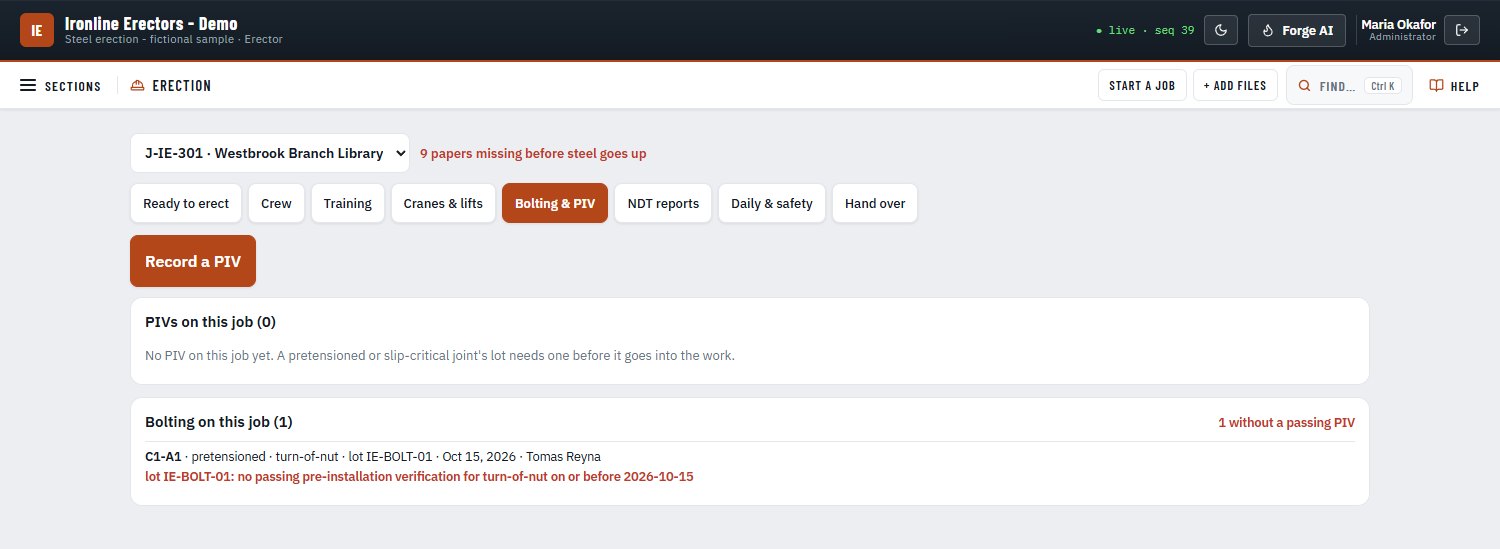
A separate program for the erector’s side of steel. It runs on its own PC or beside ForgeEPM, and links to the fabricator’s ForgeEPM so erection progress flows back: erected-tons billing and the field colours in the 3D model.

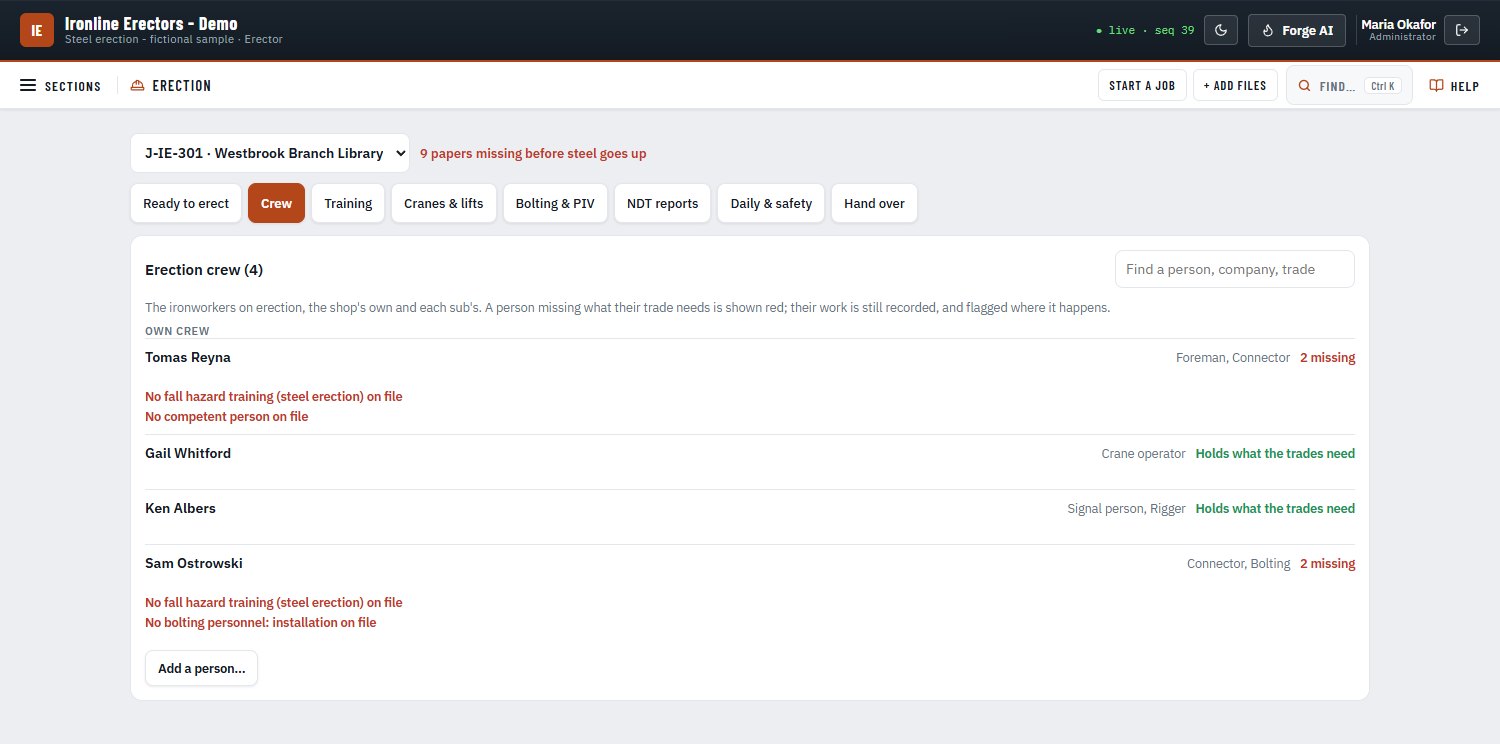
  • Crews and their credentials: welders, crane operators, signal people and riggers
  • Erector training
  • The job’s papers before steel goes up
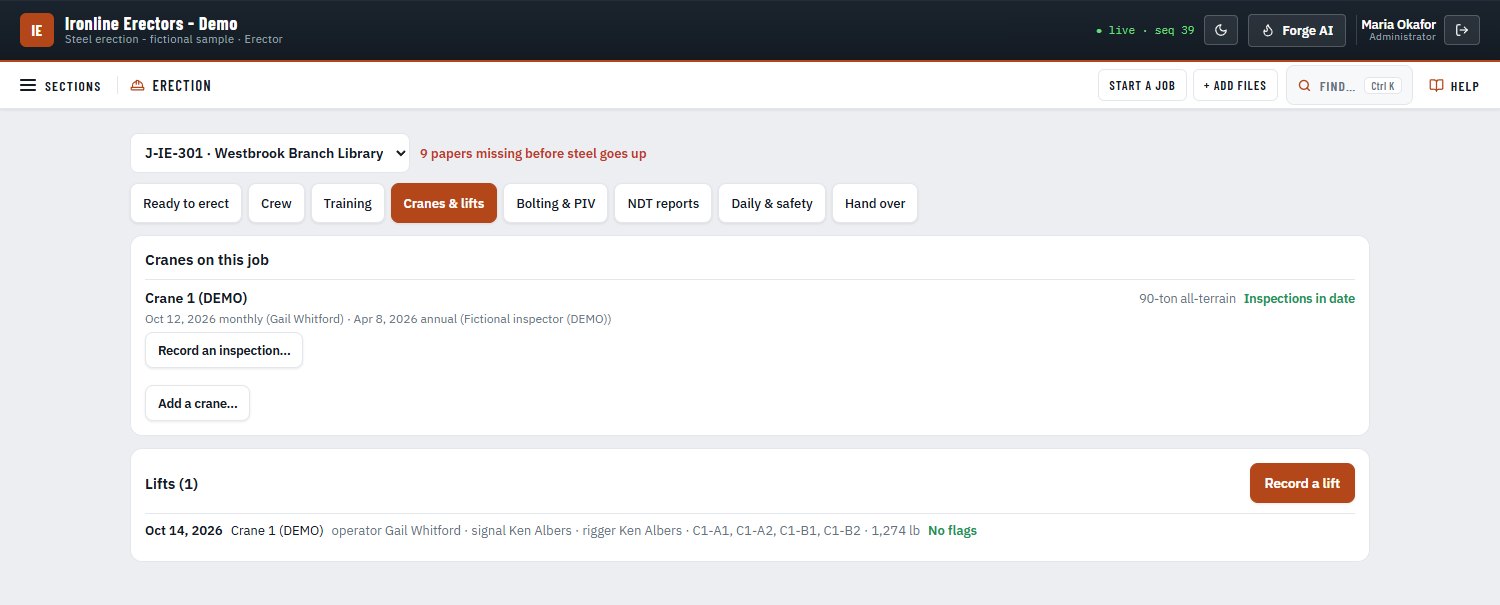
  • Cranes and lifts
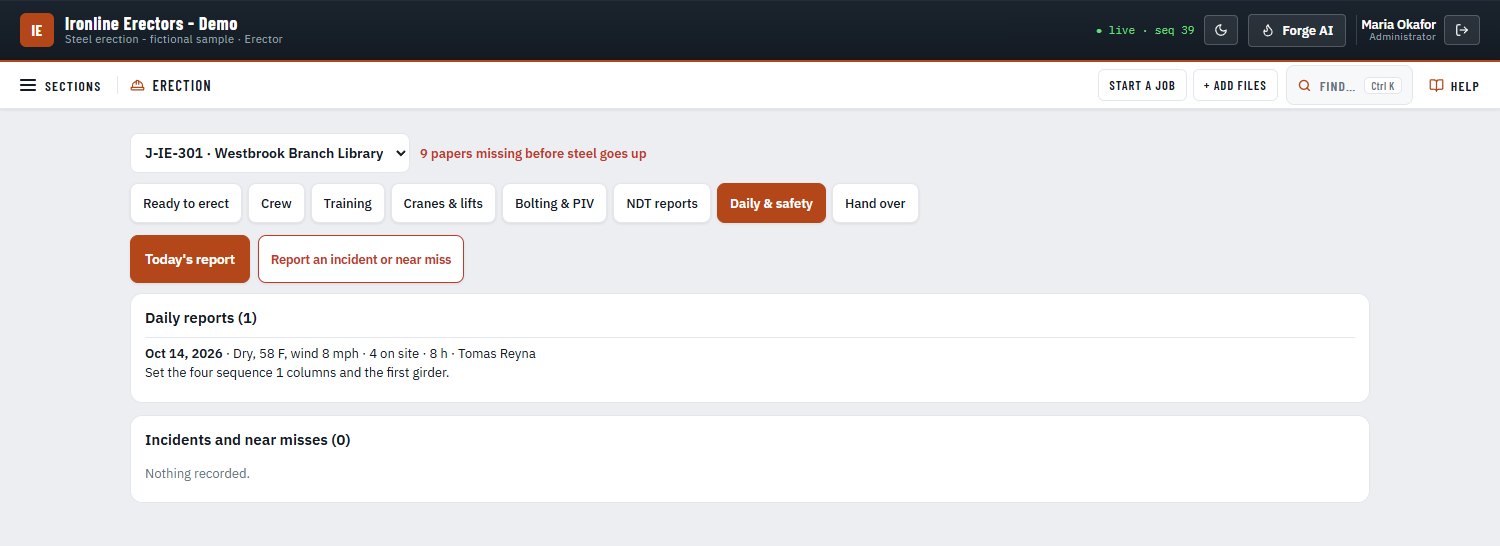
  • Daily reports and incidents
  • Bolt pre-installation verification (PIV)
  • Third-party NDT reports
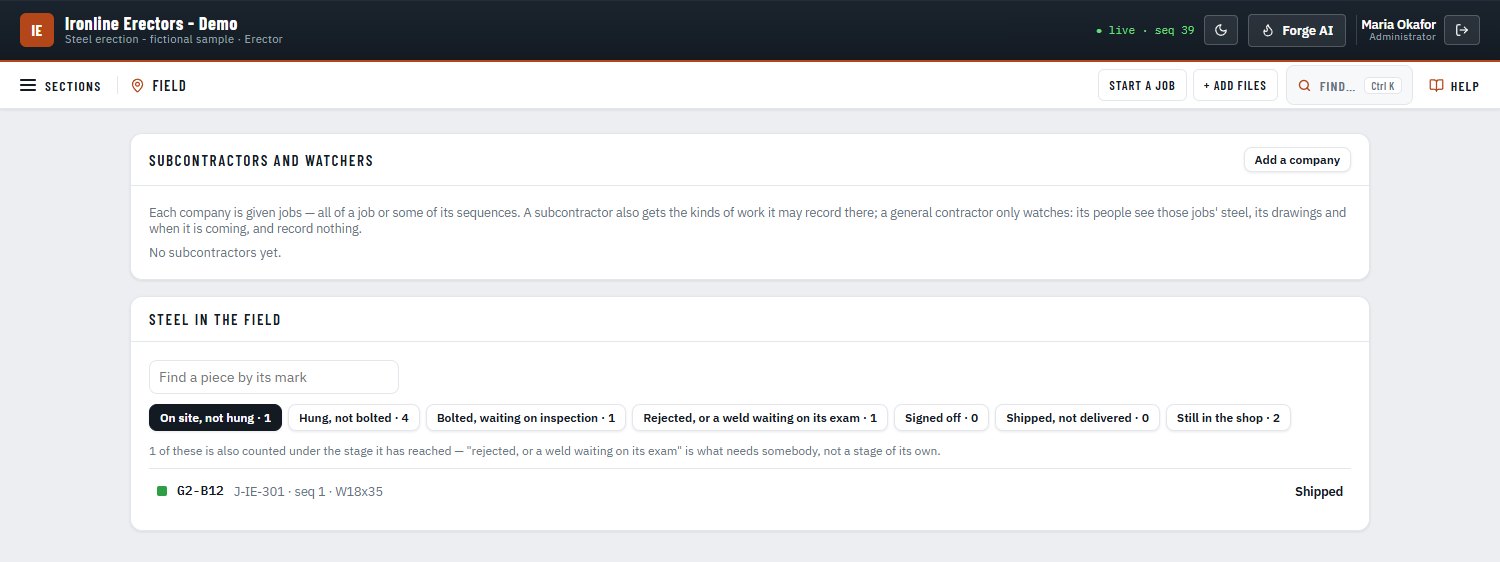
  • Field progress: hung, bolted, inspected, field welds
  • Access for subcontractors and the GC

Steel erection is where schedule, safety and paperwork meet. Before steel goes up, the erector has to show the right papers; on the job, every crane lift, crew credential, bolt check and inspection needs a record the GC and the inspector can trust. When that lives on clipboards and in text messages, steel waits and questions go unanswered. Forge Build keeps the erector’s records in one program, and when it is linked to the fabricator’s ForgeEPM, erection progress flows back for erected-tons billing and the field colours in the 3D model.

Screens from Forge Build’s fictional sample company, Ironline Erectors. Tap a picture to see it full size.

Forge Build is sold as a separate add-on. Pricing will be announced.

FORGE 3D program icon

FORGE 3D

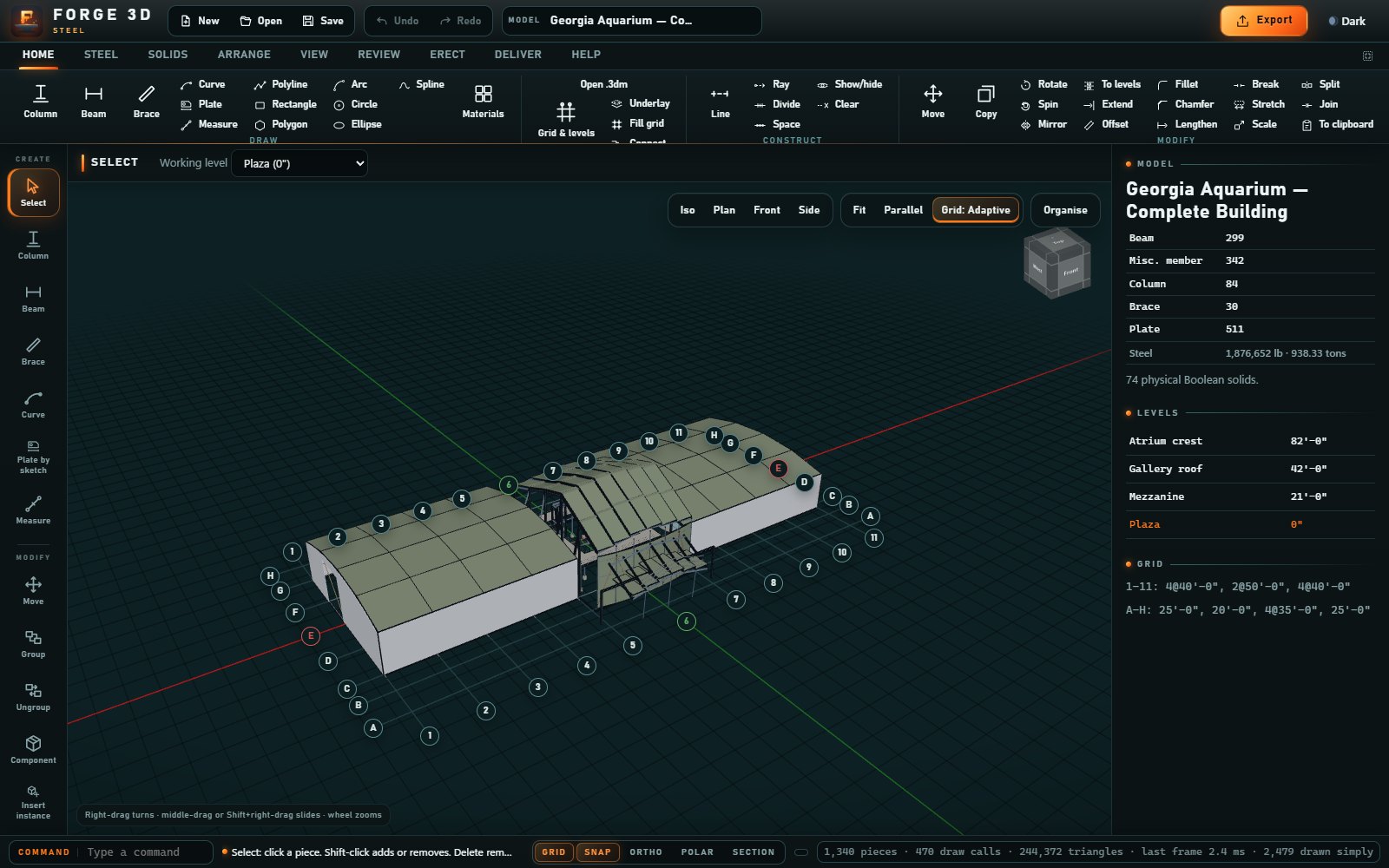
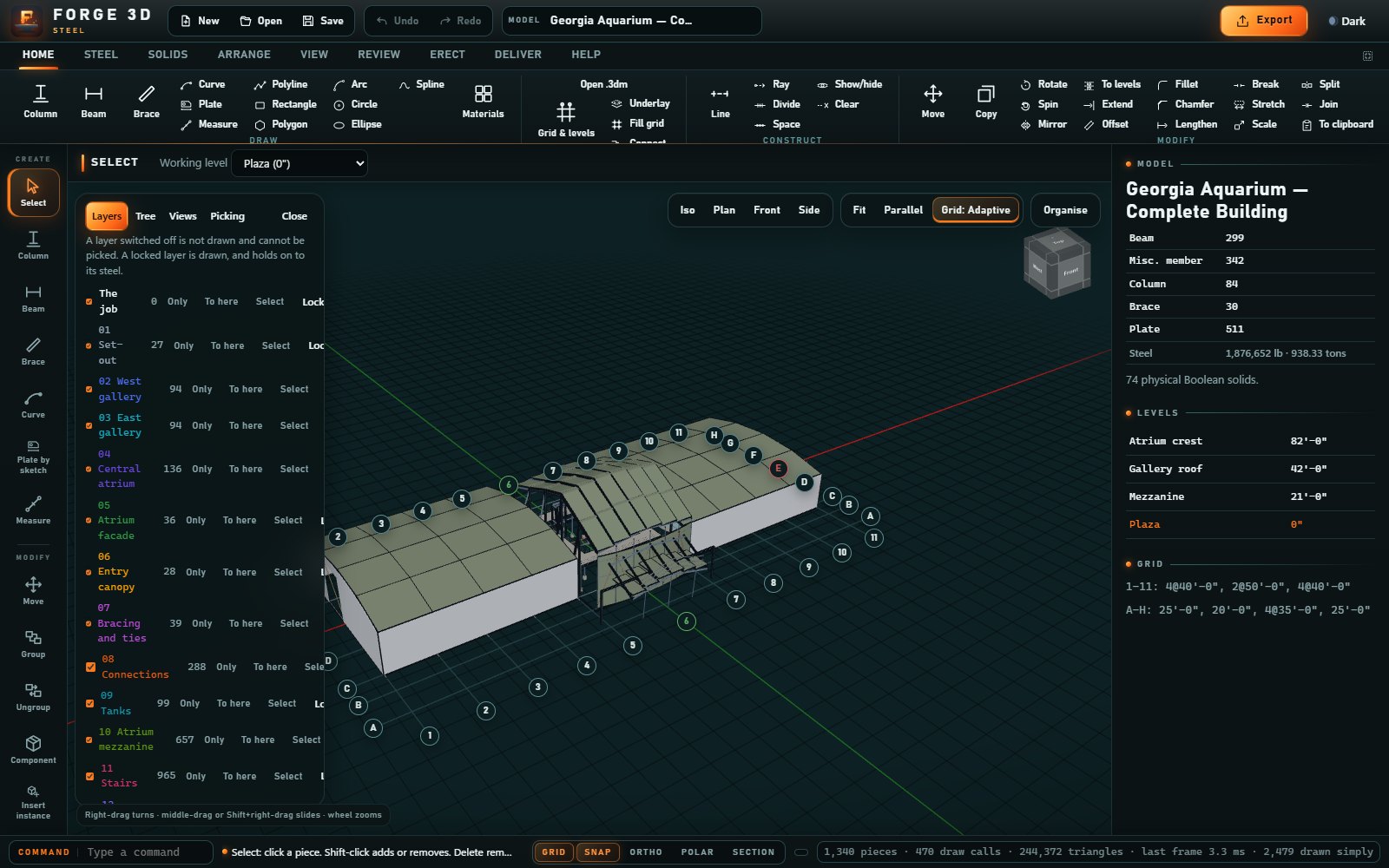
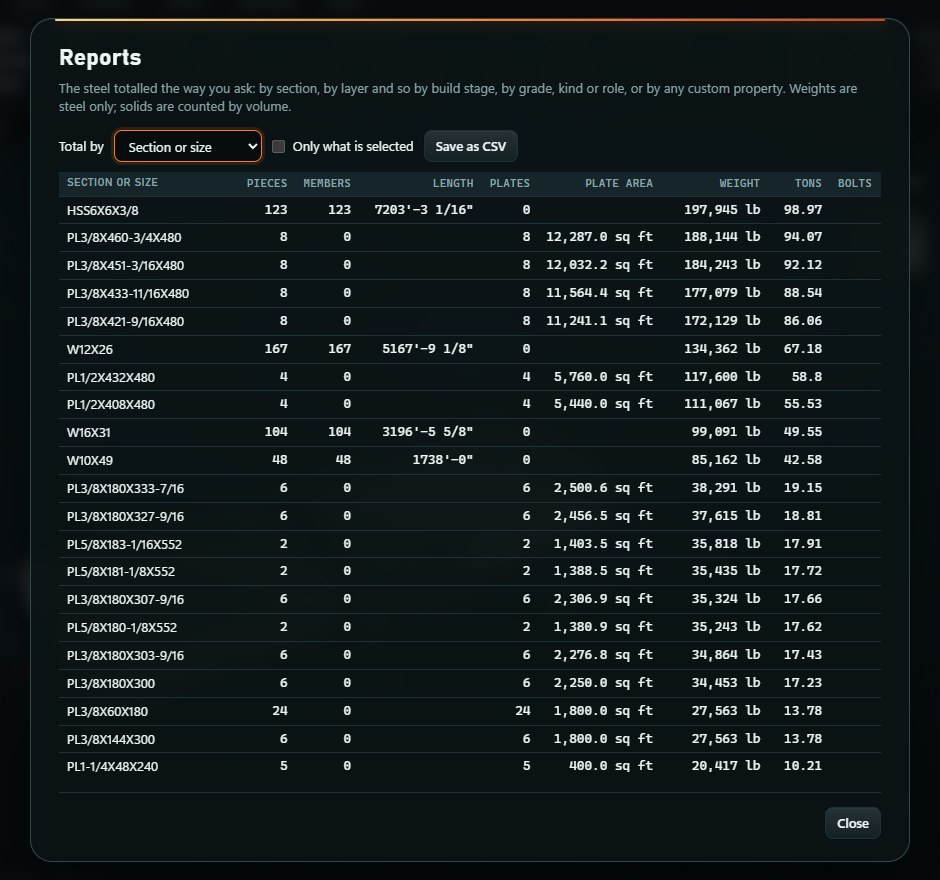
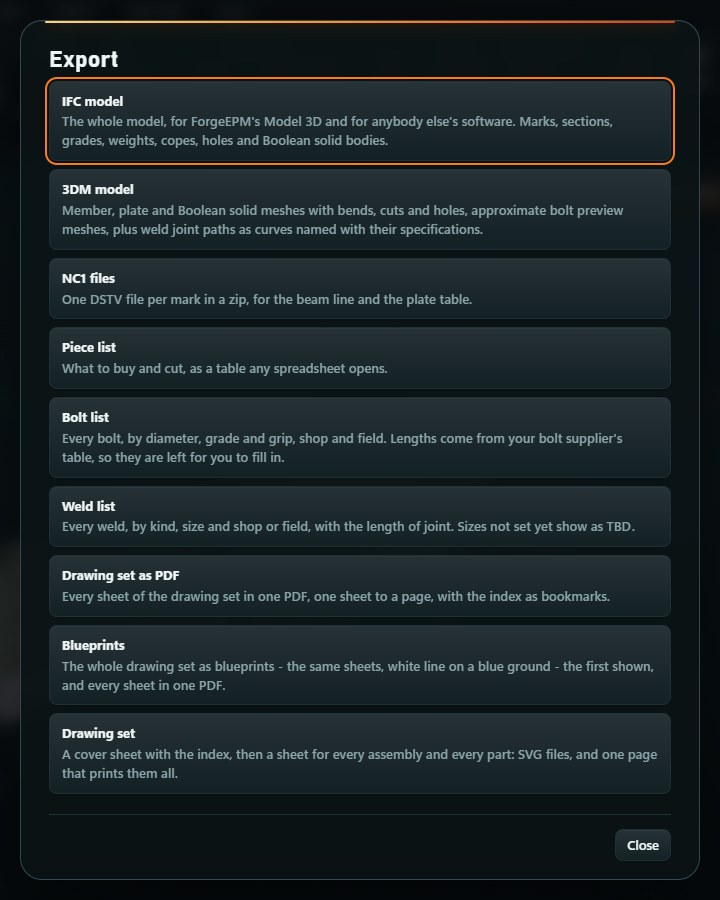
FORGE 3D is a program for modelling steel in 3D. You build the structure piece by piece — beams, columns, braces and plates — join them together, and FORGE 3D turns the model into the shop drawings, the machine files (NC1), the model file (IFC) and the reports needed to fabricate it. It is a separate program with its own icon and window, runs on this PC, and needs no sign-in.

Every steel job starts with a model. The shop drawings, the machine files and the model file that come out of it are what the shop cuts, fits and welds from, so getting them out of one model, together, saves retyping and keeps them consistent with each other.

Screens from FORGE 3D’s own sample model. Tap a picture to see it full size.

ForgeGo app icon

ForgeGo

The phone and tablet app for the shop floor and the field.

  • Scan piece tags
  • Move pieces through stations
  • QC checks
  • Clock in
  • Bolt PIV readings
  • Photograph documents

No signal at the far end of the yard? The ForgeGo app keeps scans, clock-ins, QC checks and photos on the phone and sends them the next time the app is open and in reach of the shop PC.

The work happens on the floor and in the field, not at a desk. If a crew has to walk to the office or wait until the end of a shift to record what they did, the record comes late or not at all. ForgeGo puts the scan, the sign-off, the clock-in and the document photo in the worker’s hand, signed by name, where the work is done.

More about ForgeGo →

Your records are on your PC.
The shop keeps working.

ForgeEPM runs on one PC in your shop. No internet required, and no cloud account — your records are kept on your own PC in your shop.

Lose the internet and the shop keeps working: scanning, QC, documents, printing, backups and the manual all run on your own PC. Only updates, reports to ForgeEPM support, dictation and course videos wait for it.

Photograph a mill cert with no signal: the photos are kept on the phone and filed and read the next time the app is open and in reach of the shop PC.

If the shop can’t take something a phone recorded offline, it waits on the phone with the reason, for a person to decide.

Out on site, the app works offline and catches up when you are back — or connect it to your shop over a VPN such as Tailscale.

Your subscription is checked on your own PC — no internet needed.

Updates arrive when your PC has internet; it works the same when it doesn’t.

Pricing will be announced.
Talk to us now.

Subscription pricing for each program is being set. Tell us about your shop or crew and we’ll be in touch.